
What you will accomplish
Find your current subscription, understand invoice statuses, and download the authoritative invoice PDF for your own workspace.
Before you begin
- Use the workspace that owns the subscription.
- Use an owner/admin account for billing actions.
- Do not share card, UPI, OTP, Razorpay, or invoice-sensitive information in public channels.
Invoice statuses
| Status | Meaning |
|---|---|
| Paid | A provider-backed payment or authoritative billing event completed. |
| Pending | The invoice exists but successful payment has not been confirmed. |
| Promotional | A supported promotion made the payable amount zero or discounted according to campaign rules. |
| Complimentary | Access was granted without a provider payment. |
Step 1 - Open Billing and Usage
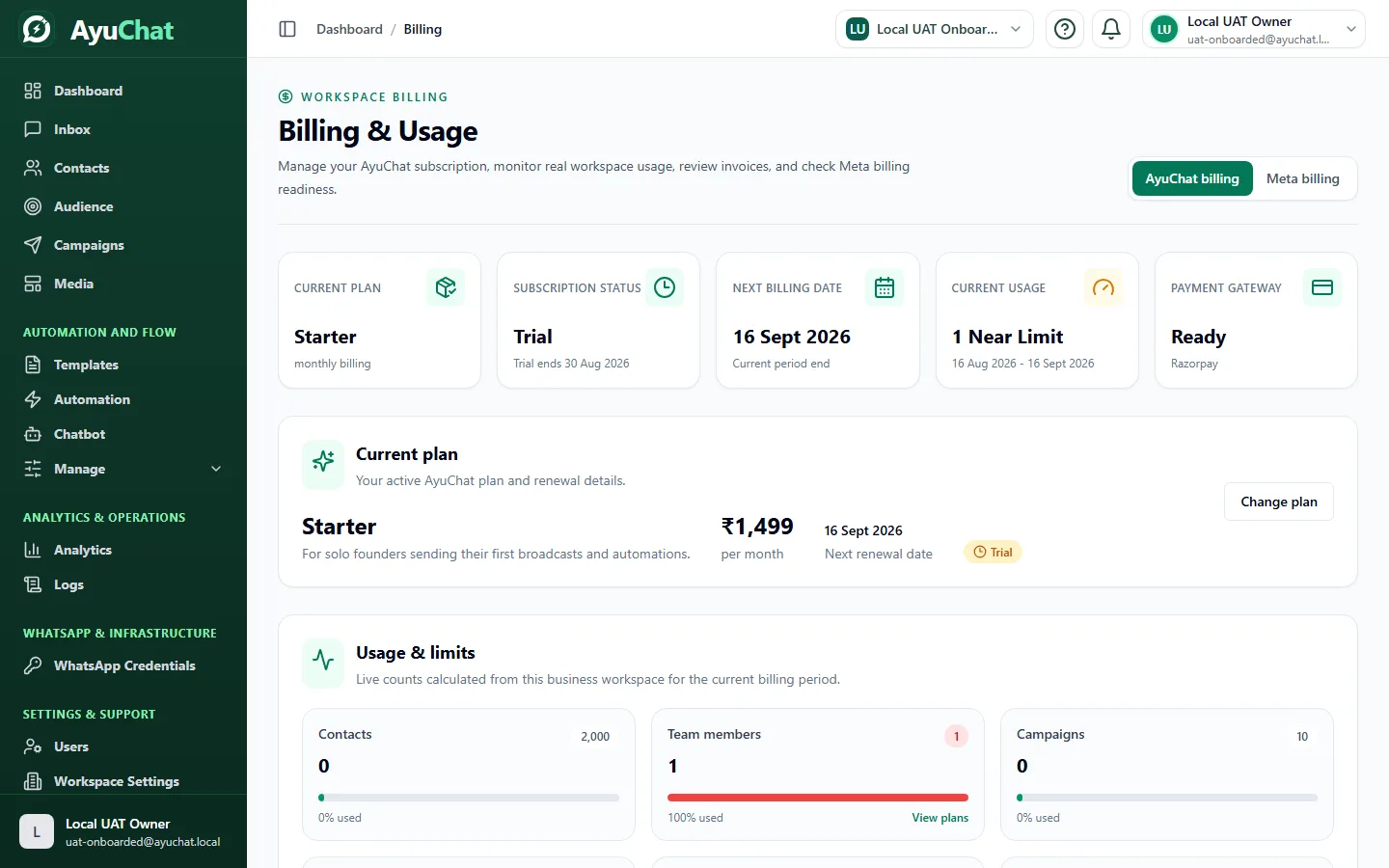
Confirm the current workspace and open Billing and Usage. The current plan card and invoice table should refer to the selected business only.
Step 2 - Download an invoice
Use the Download Invoice action. AyuChat generates the PDF through an authenticated backend request; there is no public unauthenticated financial URL.
Step 3 - Verify the PDF
- AyuChat logo and white professional design render correctly.
- Business, plan, billing period, currency, payment status, and provider reference are present when authoritatively available.
- GSTIN and GST tax lines are absent when GST Billing is OFF.
- Long business names wrap without overlap.
GST billing state
AyuChat uses the current billing configuration at invoice generation time. When GST Billing is OFF, new tax-off invoices should not add a GST tax line. Historical invoices preserve the values that were valid when created.
Common problems
| Problem | Resolution |
|---|---|
| Invoice missing | Refresh Billing and confirm the correct workspace. |
| Download denied | Use the account that belongs to the invoice workspace. |
| Payment pending after provider success | Wait for webhook processing, then contact support with non-secret provider identifiers. |